Custom Logo Stickers: How to Turn Your Brand Into a Sticker People Actually Keep
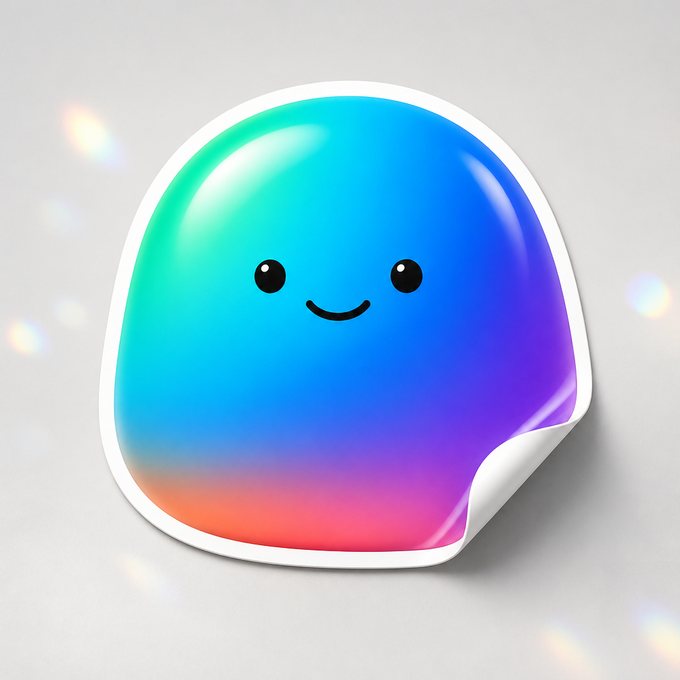
A logo sticker is the cheapest, most durable piece of brand merch you can make. It survives laptops, water bottles, storefront windows, and shipping boxes for years without fading, and it costs a fraction of what a t-shirt or tote does.
But a lot of logo stickers look amateur, not because the printing is bad, but because the file wasn't ready for print. This guide covers exactly what makes a logo translate well into a sticker, which product to pick, and what it actually costs at real order volumes.
What Makes a Logo Sticker Look Professional (Not Homemade)
Most logo sticker problems start before printing ever happens. Your logo file needs to be vector art (AI, EPS, PDF, or SVG) or a high resolution raster file at 300 DPI at the size you want printed. A logo pulled off your website at 72 DPI will look soft or pixelated once it's on vinyl, even if it looked fine on screen.
Transparent background is non-negotiable for die cut and kiss cut stickers. If your logo file has a white box behind it, that box prints as a white box, and the sticker looks like a sticker mistake, not a brand mark. Save or export as PNG with transparency, or send the original vector file and let the file get cleaned up before print.
Small text and thin linework are the other common issue. Anything under about 0.75 inches tall starts losing detail once cut, and fine serif fonts or thin outlines can fill in or drop out. If your logo has a tagline or fine print, plan for a slightly larger sticker, or simplify to the icon alone for anything under 2 inches.
- Minimum recommended size for a logo with text: 2 inches wide
- Minimum size for an icon-only mark: 1 inch
- File format: vector (AI, EPS, SVG, PDF) preferred, PNG at 300 DPI accepted
- Background: transparent, not white, unless white is an intentional design element
Die Cut, Kiss Cut, or Clear: Which One Fits Your Logo
Die cut stickers are cut exactly to the outline of your logo, no background box, no visible edge beyond the shape itself. This is the standard for most brand stickers because it reads as a clean logo, not a sticker with a border. If your logo has an irregular shape, like a mascot, wordmark, or icon, die cut is almost always the right call.
Kiss cut stickers keep a small rectangular or shaped backing around the design and are cut through the vinyl layer only, leaving the paper backing intact. They're a good fit if you want a uniform sheet look, if you're printing several small logos together, or if you want the backing to double as a peel tab for easy application in bulk (event swag, retail packaging inserts).
Clear stickers print your logo on transparent vinyl with no white background at all, so whatever surface it's applied to shows through the gaps. These look sharp on glass storefronts, water bottles, laptop lids, and car windows, but they only work well for logos with solid, high contrast shapes since fine detail can get lost against busy backgrounds.
- Die cut stickers: best default for logos, clean outline, no visible box
- Kiss cut stickers: good for sheets, multi-logo sets, or easy-peel bulk swag
- Clear stickers: best for glass, bottles, and laptops when your logo has bold, simple shapes
Where Brands Actually Use Logo Stickers
The most common use is packaging: a die cut logo sticker sealing a box flap or a poly mailer does more for perceived brand quality than most people expect, and it costs pennies per unit at volume.
Beyond packaging, logo stickers show up as laptop and water bottle giveaways at events, window decals on storefronts and food trucks, inserts in online orders to encourage social shares, and merch on their own sold at markets or pop-ups. Because the vinyl is waterproof and dishwasher-safe, they hold up on things people actually use daily, not just display.
- Packaging seals on boxes and mailers
- Laptop and water bottle giveaways at events, trade shows, conferences
- Storefront and food truck window decals
- Order inserts to drive social tags and repeat visits
- Standalone merch at markets, pop-ups, or online stores
Pricing at Volume: What Logo Stickers Actually Cost
Custom die cut logo stickers start around $55 USD (about 73 CAD) for 50 stickers at 3 inches, with the per-unit price dropping as quantity goes up, which is the usual pattern with sticker printing since setup cost is fixed and the marginal cost per sticker is small.
Shipping is free on sticker orders (sheets excluded) across the US and Canada, no minimum order required, so a small 50-piece test batch costs the same to ship as a 1,000-piece packaging order. That makes it cheap to order a small run first, check how the logo actually looks printed and applied, then scale up once you're happy.
- 50 die cut stickers at 3 in: pricing starts around $55 USD (73 CAD)
- Per-unit cost drops at higher quantities (250, 500, 1000+)
- Free shipping across the US and Canada on sticker orders (sheets excluded), no minimum
- Digital proof to approve before anything goes to print
How to Order Without Wasting a Round Trip
Upload your logo file, pick die cut, kiss cut, or clear, and choose a size. If you're not sure which format fits your logo best, a small test order in two formats is often cheaper than guessing wrong on a large one.
Every order gets a digital proof to approve before printing starts, so you'll see exactly how the transparent background, size, and cut line will look before any vinyl gets used. This is the point to catch a white background that snuck in, text that's too small, or a color that needs adjusting, not after 500 stickers arrive.
- Upload logo file (vector preferred, 300 DPI PNG accepted)
- Choose die cut, kiss cut, or clear based on your logo shape and use case
- Review and approve your proof before production starts
- Adjust size, color, or background if anything looks off before we print
- Send vector art or a 300 DPI file with a transparent background, not a screenshot or a low-res web image.
- Die cut is the standard choice for most logos, kiss cut works well for sheets and bulk peel-and-stick swag, clear suits glass and bottles.
- Keep logo stickers at least 2 inches wide if there's text, 1 inch if it's icon-only, to preserve detail.
- Pricing starts around $55 USD (73 CAD) for 50 die cut stickers at 3 inches, with free shipping across the US and Canada on sticker orders (sheets excluded).
- A proof to approve is sent before we print, so mistakes get caught before production, not after.
Frequently asked questions
What file format do I need for a custom logo sticker?
Vector formats like AI, EPS, SVG, or PDF work best because they scale to any size without losing quality. A PNG at 300 DPI at your intended print size also works. Avoid JPGs pulled from a website, since they're usually too low resolution and often have a white background baked in.
Do you remove the background from my logo automatically?
If your file already has a transparent background, it's ready to go. If it has a white box around it, that gets flagged during the proof stage so it can be fixed before anything prints, rather than printing a white rectangle around your logo.
What's the smallest size I can print my logo at?
For a logo with text, 2 inches wide is the practical minimum to keep letters legible. For an icon or mark alone, 1 inch generally holds up fine. Anything smaller risks fine details filling in or dropping out during cutting.
Are the stickers durable enough for water bottles and outdoor use?
Yes. The vinyl is waterproof and dishwasher-safe, so it holds up on water bottles, laptops, and outdoor window applications through regular handling, weather, and washing.
How many logo stickers should I order for a first batch?
Since sticker shipping is free with no minimum (sheets excluded), a 50-piece batch is a low-risk way to check how your logo looks printed and how it holds up in real use before committing to a 500 or 1,000-piece packaging order.
Can I get the same logo in different formats, like die cut and kiss cut?
Yes, you can order the same logo across die cut, kiss cut, and clear separately to compare how each looks on your intended surface before settling on one for a bigger run.
Ready to print?
Upload your logo, pick your cut, and approve your proof before a single sticker gets printed.
Start your order →